

When monitoring needs to stay out of sight
Most employee monitoring scenarios are openly disclosed - users are told the system exists, what it records, and why. But some scenarios require monitoring without the user knowing it’s active: investigations into suspected insider threats already under way, supervised access for users under legal restriction, executive monitoring under court order, and similar high-sensitivity cases. The standard macOS Client makes visible noise - Syteca-branded process names, the Syteca Session Client entry in Accessibility permissions, screen-capture pop-up notifications in the menu bar. For these specific scenarios, that visibility defeats the purpose. Most named competitors with macOS coverage offer a stealth-mode option for exactly these use cases. The macOS Hidden Client is Syteca’s equivalent: same monitoring engine as the standard macOS Client, same Management Tool integration, same session recording - but with the visible identifying details removed.The macOS Hidden Client differs from the standard macOS Client in three ways:
- Process names don’t contain references to Syteca - they look like regular system processes.
- No Syteca icons appear next to process names or in system surfaces.
- Screen-capture pop-up notifications are suppressed in the macOS menu bar (requires macOS 14.3 Sonoma or higher - see the note below for the standard Client option too).
Screen-capture notification suppression is also available on the standard macOS Client when running macOS 14.3 (Sonoma) or higher. The Hidden Client extends this further by also hiding all Syteca-branded process names and icons.
Get the Hidden Client installation package
The macOS Hidden Client installation package is not available for download from the Management Tool - this is intentional, to limit the surface area for accidental deployment. Two ways to obtain it:
The package file is
macos_hidden_agent_universal.tar.gz, and it contains a SytecaHiddenClient-<version>.pkg installer.
Install the Hidden Client
Installation works the same way as for the standard macOS Client, with one critical difference: the macOS permissions (“Accessibility” and “Screen & System Audio Recording”) must be granted to the System Analysis application - not to “Syteca Session Client” as for the standard Client. This naming is part of the stealth design: the System Analysis name doesn’t reveal that monitoring is active.- Local install (install.sh)
- Jamf Pro
- VMware Workspace ONE UEM
Use the bundled
install.sh script for direct installation on a single Mac. See Install macOS Clients using the command line - the procedure is identical except for the package filename and the permissions-grant target.Update the Hidden Client
Remote update from the Management Tool works exactly the same way as for the standard macOS Client - both automatically (if auto-update is enabled) or manually. No special considerations.Uninstall the Hidden Client
Uninstall procedures are identical to the standard macOS Client - both remote uninstall from the Management Tool and local uninstall on the endpoint work the same way. The Hidden Client uses the same Uninstallation key as standard Clients.How to spot a Hidden Client in the Management Tool
To Management Tool users with appropriate permissions, Hidden Clients are not hidden - they just look slightly different in the Clients list. The Hidden Client icon includes a small crossed-out eye symbol added to the standard macOS icon, distinguishing it from the standard macOS Client in the Clients page and the Sessions list.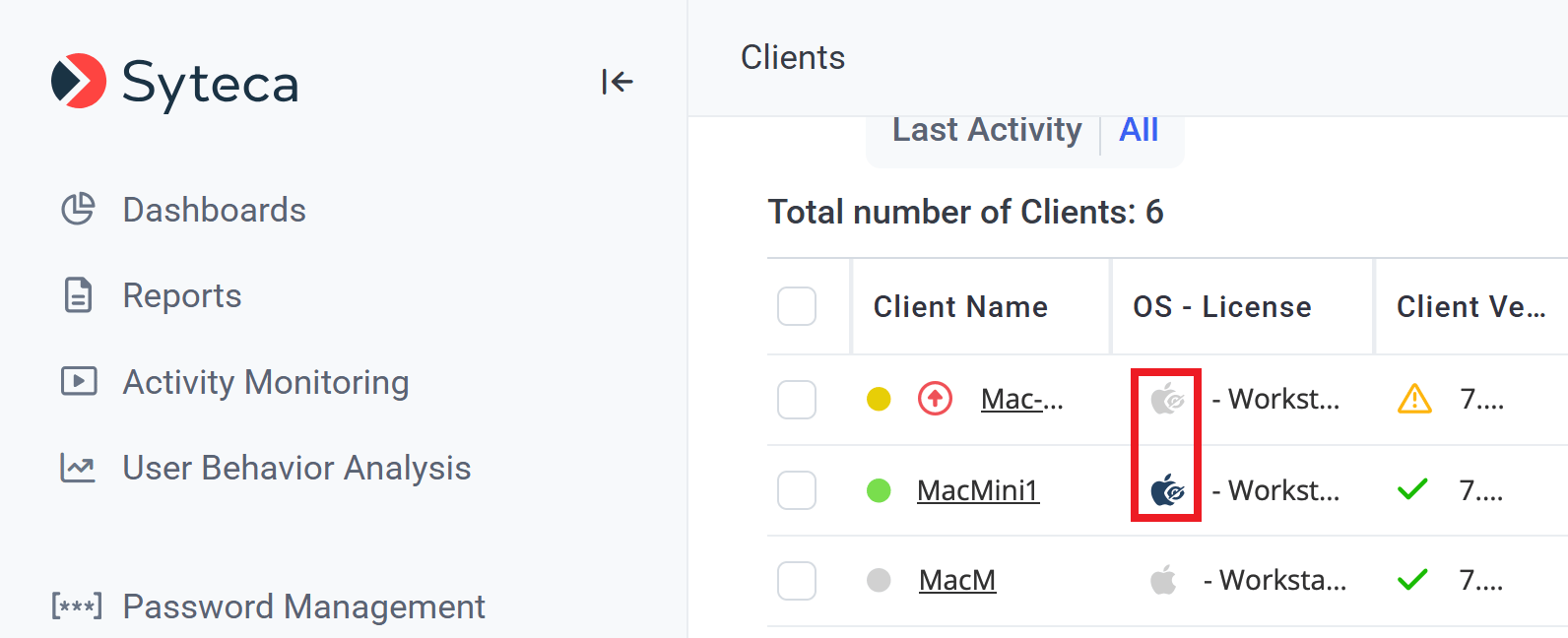
The Clients page distinguishes Hidden Clients (crossed-out eye icon) from standard macOS Clients.
Related
Standard macOS Client
The standard (visible) macOS Client - most macOS deployments use this.
Uninstall Clients
Remote and local uninstall procedures, identical for Hidden and standard Clients.
Pseudonymizer
For consent-required environments (EU GDPR, works councils) - different compliance model than stealth monitoring.
The Clients page
How Hidden Clients appear in the Clients inventory (with the crossed-out eye icon).