

Scaling Syteca past one server, without a vendor SOAR product
A single Application Server handles up to ~10,000 concurrent Client sessions comfortably. Past that, every PAM/UAM vendor has the same story: scale out across multiple instances, load balance the traffic, replicate the storage, support failover when a node dies. The implementations differ wildly. Some vendors require a separate cluster product (PAS HA Cluster) on top of Vault Server, others want you to set up an indexer cluster, a search head cluster, and a deployment server. The complexity tax for “highly available” is usually a second product, a second license, and a second runbook. Syteca’s HA model is simpler: multiple Application Server instances on different nodes in a Microsoft Failover Cluster — using the failover clustering capability already in Windows Server. Add a network load balancer in front, optionally enable Storage Replica for cross-storage disaster recovery, and you have a fully redundant deployment with automatic load distribution. The same Syteca product, the same licensing, the same Management Tool — just more instances behind a load balancer.Use Syteca HA when you need to:
- Scale beyond 10,000 concurrent Clients without saturating a single Application Server. The platform itself recommends HA at this scale.
- Eliminate Application Server downtime during upgrades — instances can be updated one at a time, with Clients automatically reconnecting to other nodes.
- Survive a storage failure by failing over to a replicated storage endpoint without data loss.
- Continuously redistribute load across nodes as Client populations shift — no manual sharding, no per-Client routing rules to maintain.
- Aggregate sessions across geographically-distributed deployments by pairing HA with the Master Panel for a single-pane-of-glass view.
How HA mode works
HA mode runs multiple Application Server instances in a Microsoft failover cluster, sharing the same database and Master Certificate. Clients connect to the load balancer fronting the cluster, which routes their traffic to the least-busy node. If a node fails — or you take it down for maintenance — its Clients automatically reconnect through the load balancer to other surviving nodes, with no manual intervention.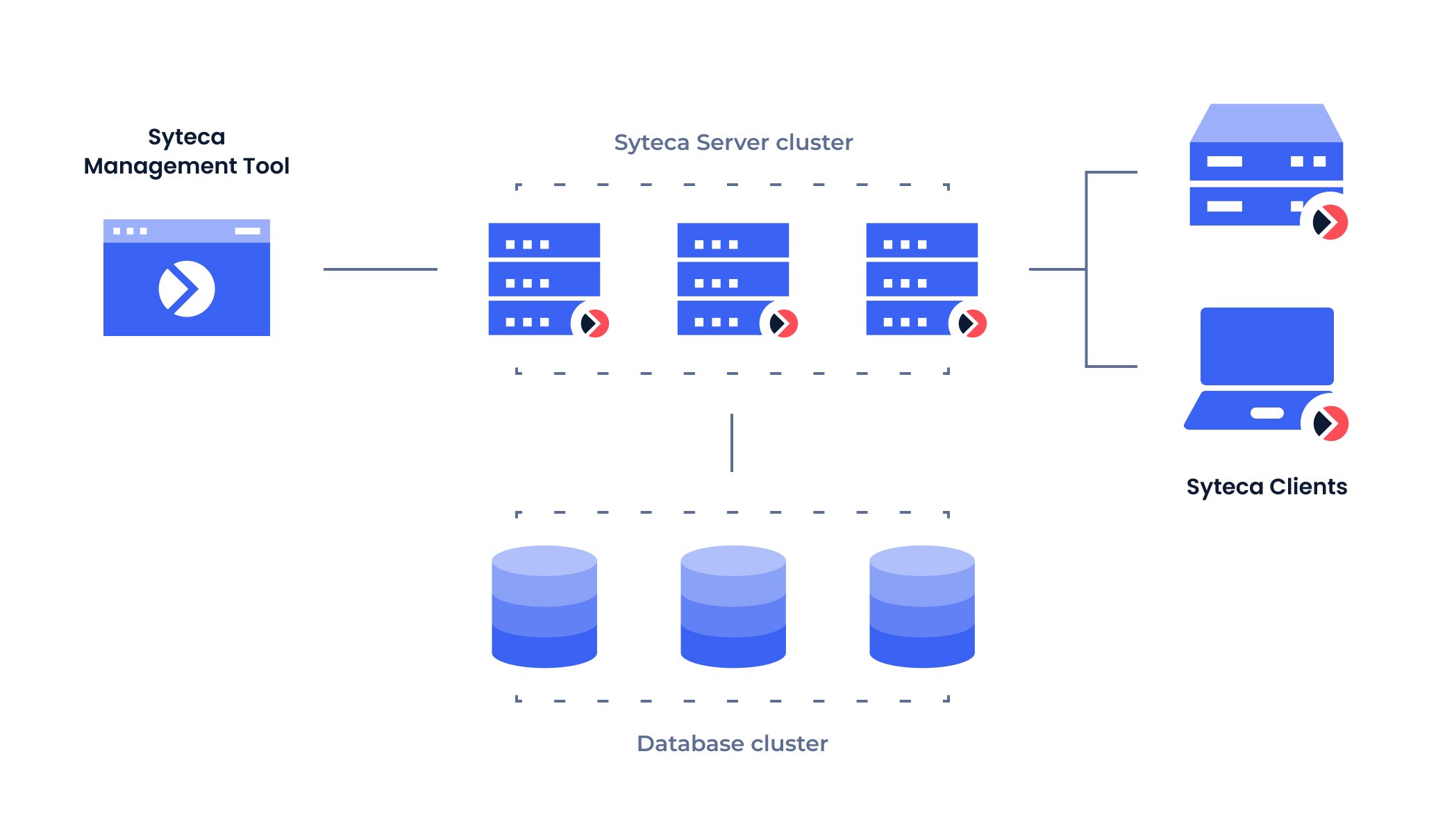
HA mode — Clients reach the Application Server through a load balancer; multiple Application Server instances in a Microsoft Failover Cluster share storage, optionally replicated across two endpoints for disaster recovery.
Load balancing
Load balancing is automatic in HA mode — once you have multiple Application Servers in a cluster behind a load balancer, load is continuously redistributed across them based on the load balancer’s algorithm (typically least-connections or round-robin). There’s no manual session routing to maintain, no per-Client affinity rules, and no per-tenant sharding. When is load balancing worth setting up? For deployments approaching 10,000 concurrent Client sessions, or where the Application Server’s CPU or network bandwidth becomes the operational bottleneck. The recommendation in System requirements is to enable HA for Large deployments (1,000–10,000 concurrent sessions) and consider it for Medium (200–1,000) deployments approaching the upper bound. For the operational procedure to manage the cluster — adding nodes, monitoring node health, taking nodes offline for maintenance — see Manage the Application Server cluster.Disaster recovery
For deployments where a storage failure would be unacceptable — most production deployments at scale — Syteca’s disaster recovery model uses Microsoft Failover Clustering combined with Storage Replica.
On a storage failure, the Failover Cluster Manager automatically switches the Application Server connection from the failed storage to the replicated storage. Data continues to be served from the replica with no data loss for properly-replicated transactions. Once the primary storage is restored, Storage Replica synchronizes back the changes that occurred during the failover.
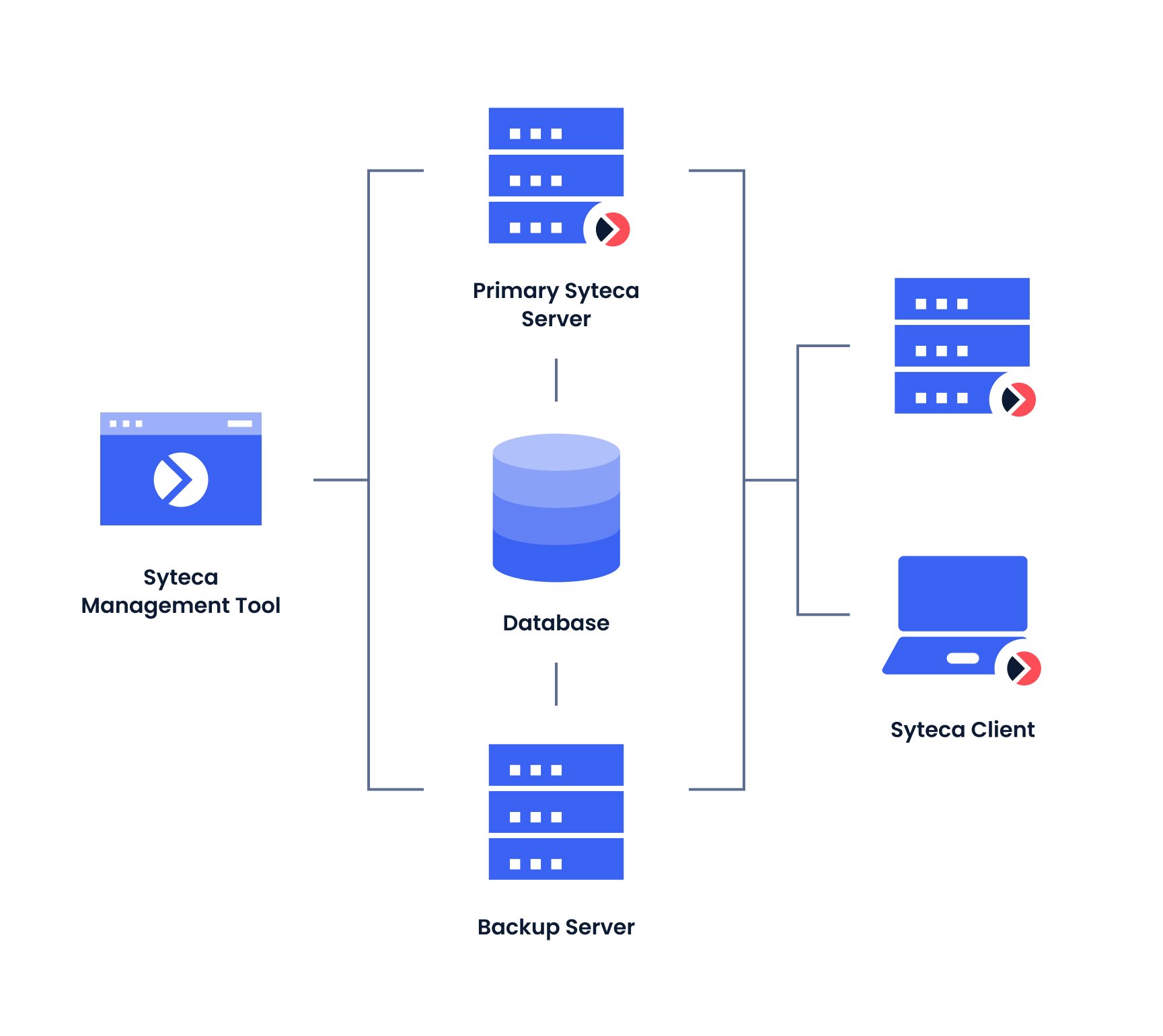
Disaster Recovery — Storage Replica continuously syncs the primary storage to a replica; Failover Cluster Manager automatically switches the Application Server cluster to the replica if the primary fails.
Update strategy in HA deployments
HA mode changes the upgrade workflow in one important way: Application Server and Management Tool instances must be updated one node at a time, not all at once. During each instance’s update, Clients connected to it are automatically reconnected to other surviving instances by the load balancer — so the deployment as a whole remains operational throughout the upgrade. Before updating each node, check the current version of every Application Server instance on the Cluster Settings tab of the Management Tool’s Configuration page. Updating against a partially-upgraded cluster can cause version mismatches that the system rejects. See Update Syteca for the full upgrade procedure, including pre-update Isolation Mode and Data Migration steps.Related
Architecture overview
Components of a Syteca deployment — what HA mode multiplies.
System requirements
Sizing recommendations including when HA becomes strongly recommended.
Multi-Tenant mode
Pair HA with tenant isolation for MSSP-style deployments.
Master Panel
Aggregate multiple Application Server clusters into a single view.