

Not available in SaaS. Multi-Tenant mode is only supported on on-premises and self-hosted Syteca deployments.
This action is performed by the tenant admin, not by the technician. The technician cannot grant themselves access — the opt-in must come from inside the tenant.
Grant the technician access to your tenant
1
Sign in as the tenant admin
Sign in to the Management Tool as the tenant admin of the tenant you want to grant access to.
2
Open Configuration
Click the Configuration button at the top of the Management Tool.
3
Enable the grant
On the System Settings tab, in the Account Access section at the top, select Grant a technician full access to my tenant account.
4
Confirm
In the Warning pop-up, click Yes to confirm.
5
Save
Click Save in the bottom right of the page.
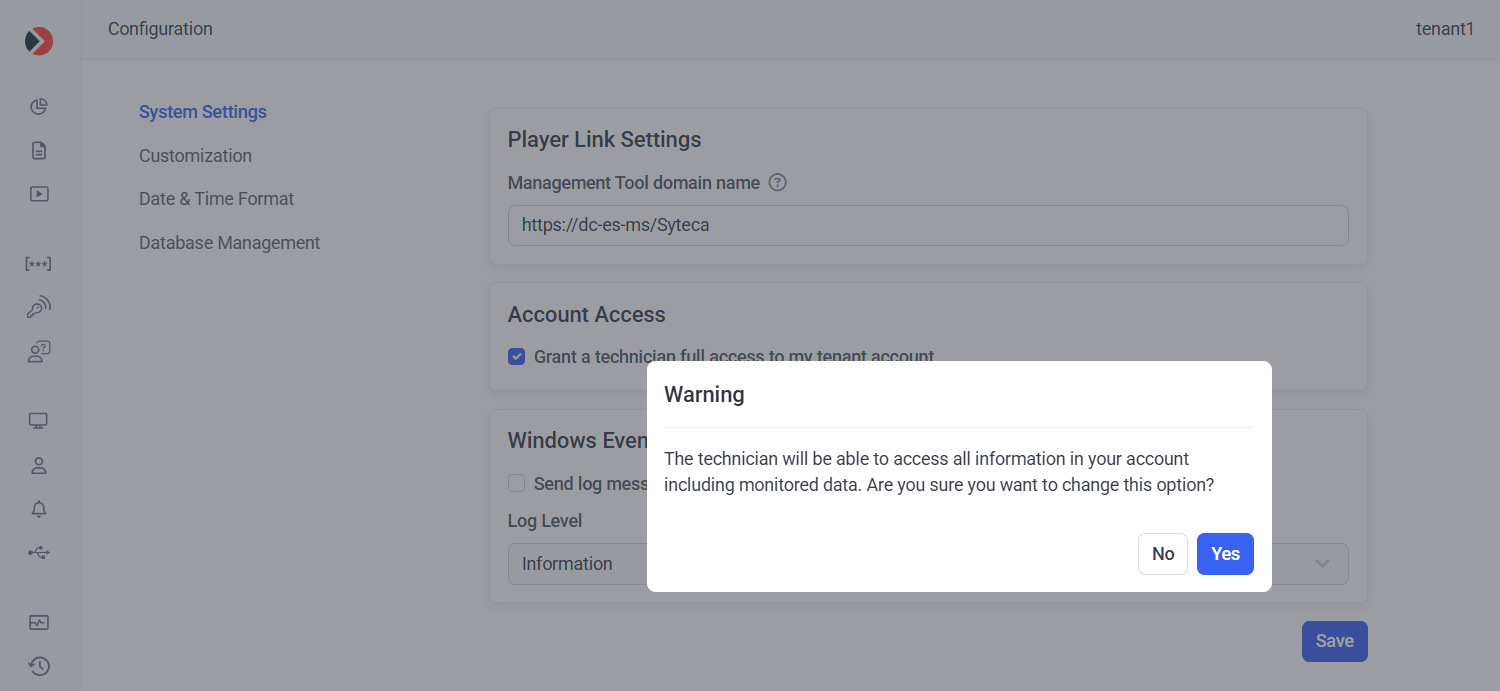
The Account Access section on the System Settings tab.
Revoke the grant
To revoke the technician’s access at any time, return to the same setting and clear the Grant a technician full access to my tenant account checkbox, then click Save. The technician immediately loses the Switch To option for your tenant.Related
Multi-Tenant overview
The conceptual overview, user types, and role comparison table.
Manage tenants
Add, edit, delete, and switch to tenants from the Tenants page.