

Editing requires the administrative Client Installation and Management permission. Identical for the built-in default tenant’s admin and for tenant admins in Multi-Tenant mode.
1
Open Date & Time Format
Click Configuration, then select the Date & Time Format tab.
Management Tool Date & Time Format
User-specific settings applied across every Management Tool page:- Management Tool Date Format
- Management Tool Time Format
Application Server Date & Time Format
Applied to Application Server-processed features: Forensic Export, email alert notifications, email USB alerts, and reports generated via the Report Generator or Scheduled Reports.- Server Date Format
- Server Time Format
Available formats
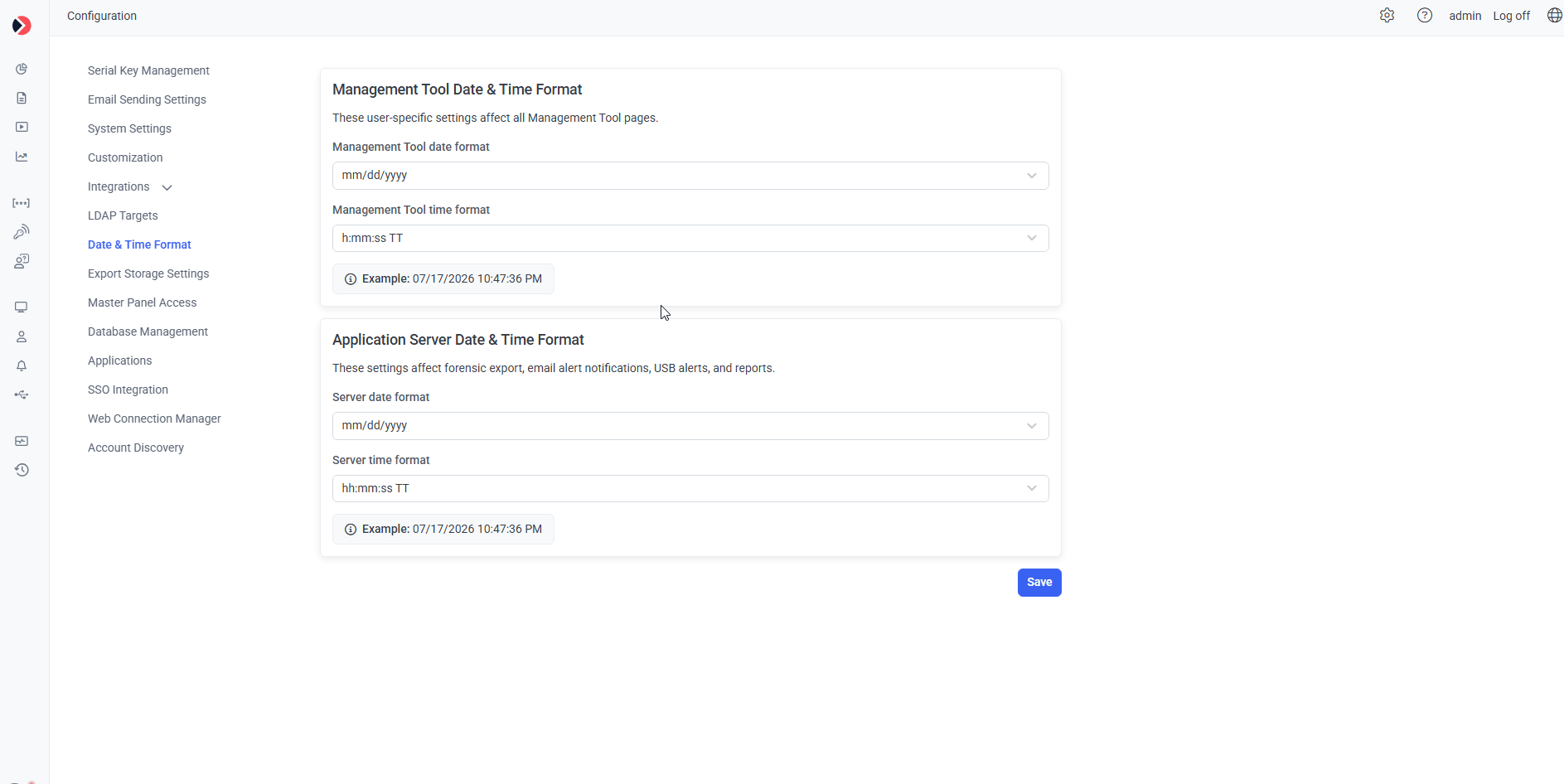
The Date & Time Format tab.
Related
Forensic export
Uses the Application Server date/time format.
Alerts
Email notifications use this format too.
System settings
Other Configuration page settings.