

1
Open Database Parameters
On the computer running Syteca Application Server, right-click the Syteca Server tray icon and select Database Parameters.
2
Enable process credentials
On the Metadata Storage sub-tab, with Windows Authentication selected under Authentication, select the Use process credentials checkbox.
3
Save
Click OK.
4
Restart the Application Server
Restart the EkranServer service.
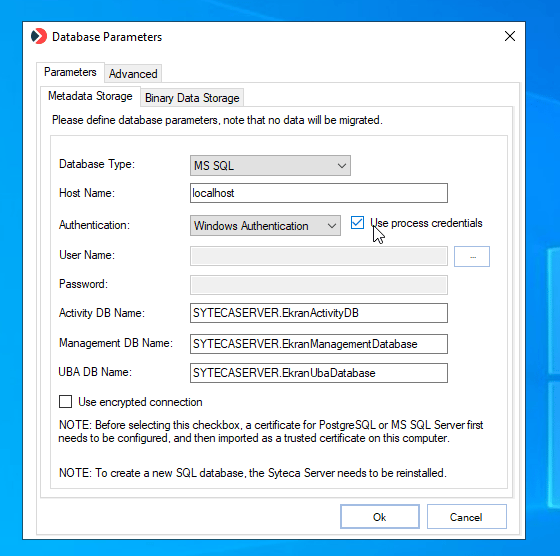
The Use process credentials checkbox under Windows Authentication.
Related
Database parameters
All database connection and binary storage options.
gMSA/sMSA account
An alternative, more restrictive approach using a Managed Service Account.