

Viewing the Endpoint history page requires the Viewing Monitoring Results administrative permission, plus the Viewing Monitoring Results Endpoint permission for the specific endpoint.
Health Change History
A line chart that displays how the endpoint health score has changed over time. The chart helps identify periods of improvement, degradation, and stability in the endpoint’s security posture. By default, the chart shows all available health score measurements as a continuous timeline without gaps. Use the Display intervals with no data option to show periods when no health information was received from the endpoint, such as when the endpoint was offline or unlicensed. Gap widths are proportional to the actual duration of missing data. The Y-axis represents the health score as a percentage from 0% to 100%. The background color changes according to the health category of each score, providing a quick visual indication of the endpoint’s health status. Select an area of the chart to zoom in and focus on a specific time range. Click the chart to return to the default view. Hover over a data point to view detailed information about the health check.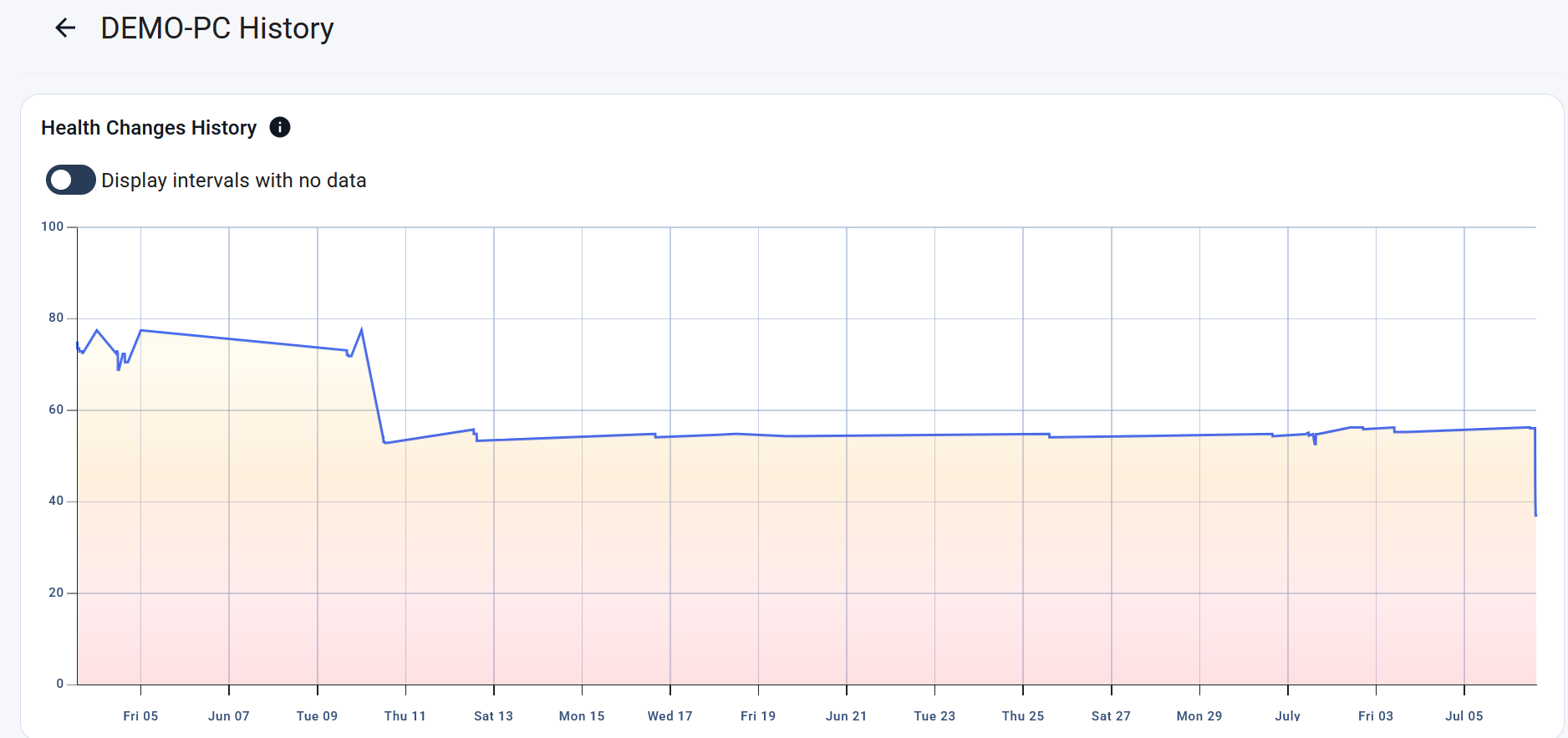
The health changes widget.
Policy Changes History
The Policy Changes History grid provides an audit trail of policy assignment changes policy assignment changes for the selected endpoint. Use it to review when policies were assigned or removed, identify who performed the action, and track automatic policy assignments. Data is displayed in the grid:Risk Factors History
The Risk Factors History grid displays the history of risk factor evaluations for the selected endpoint, including the status of each risk factor at the time of the check.The grid includes only risk factors whose status/risk score changed during a check. Risk factors that remain unchanged between consecutive checks are not recorded in the history.
Risk Factors Grid
Grid Filters
You can use other filters to find needed data. The filters include:- Risk factor
- Control
- Risk score by category (Critical, High, Medium, Low, or No Risk)
- Check date
- Status
Related
Endpoint details
Health trends and actual risk factors on the individual endpoint dashboard.
How to analyze endpoint health trends
Review historical endpoint health trends, policy assignment changes, and risk factor activity to understand how an endpoint’s security posture has evolved over time.